


Work
Work
About
About
Modular TV feed redesign for facility operations
Redesigned CloudKitchens’ facility TV feeds into a modular system to improve usability across different screen setups.
Led audits, usability testing, and interface design using FacilityHub for customizable layouts.
Lead Product Designer
TV Display Design
2023
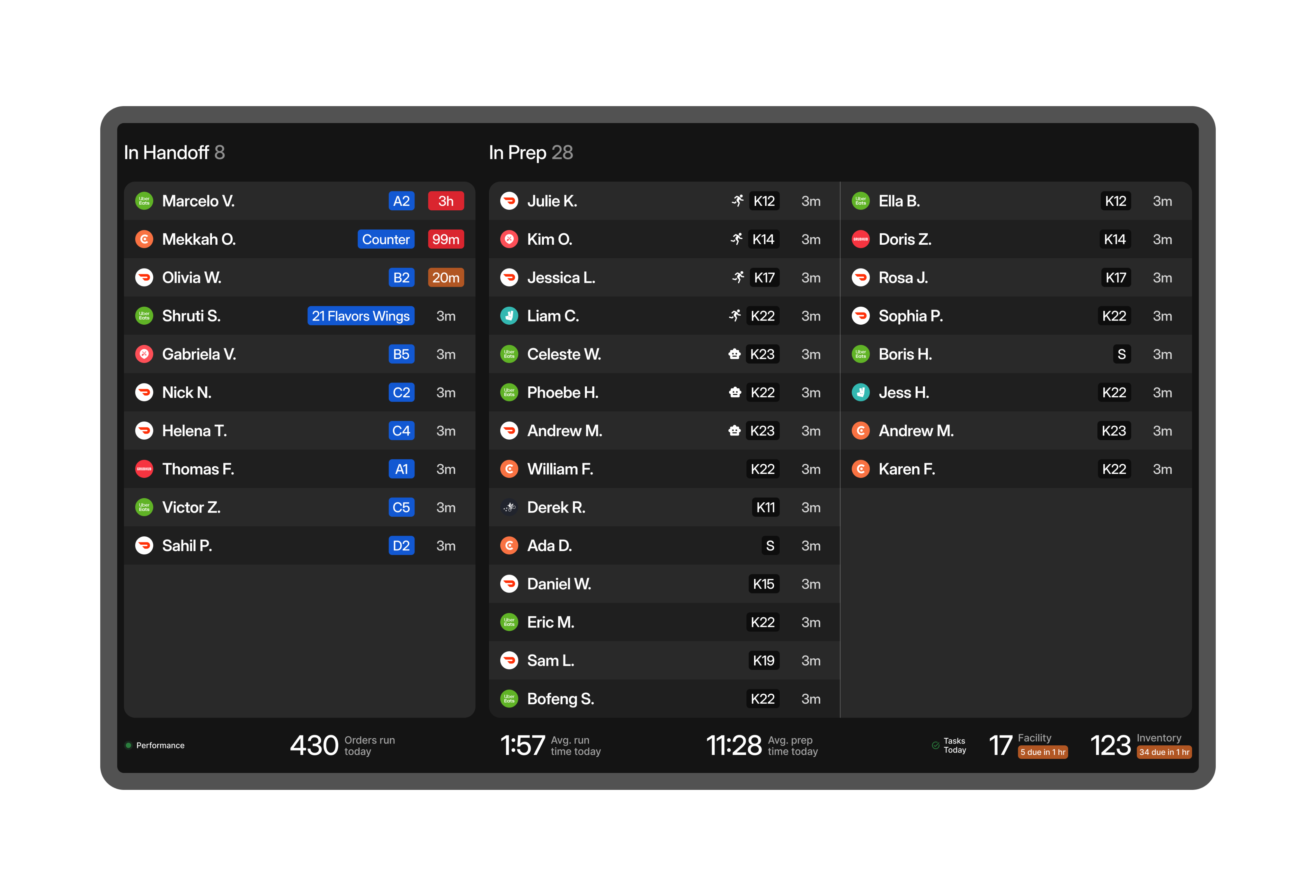
Problem
In CloudKitchens facilities, TV feeds guide staff through order processing and pickups using live data. But with varying layouts and screen setups, the current one-size-fits-all design leads to low display efficiency and poor scanability. Our goal is to improve how clearly and quickly information is surfaced across all facility types.
Audit
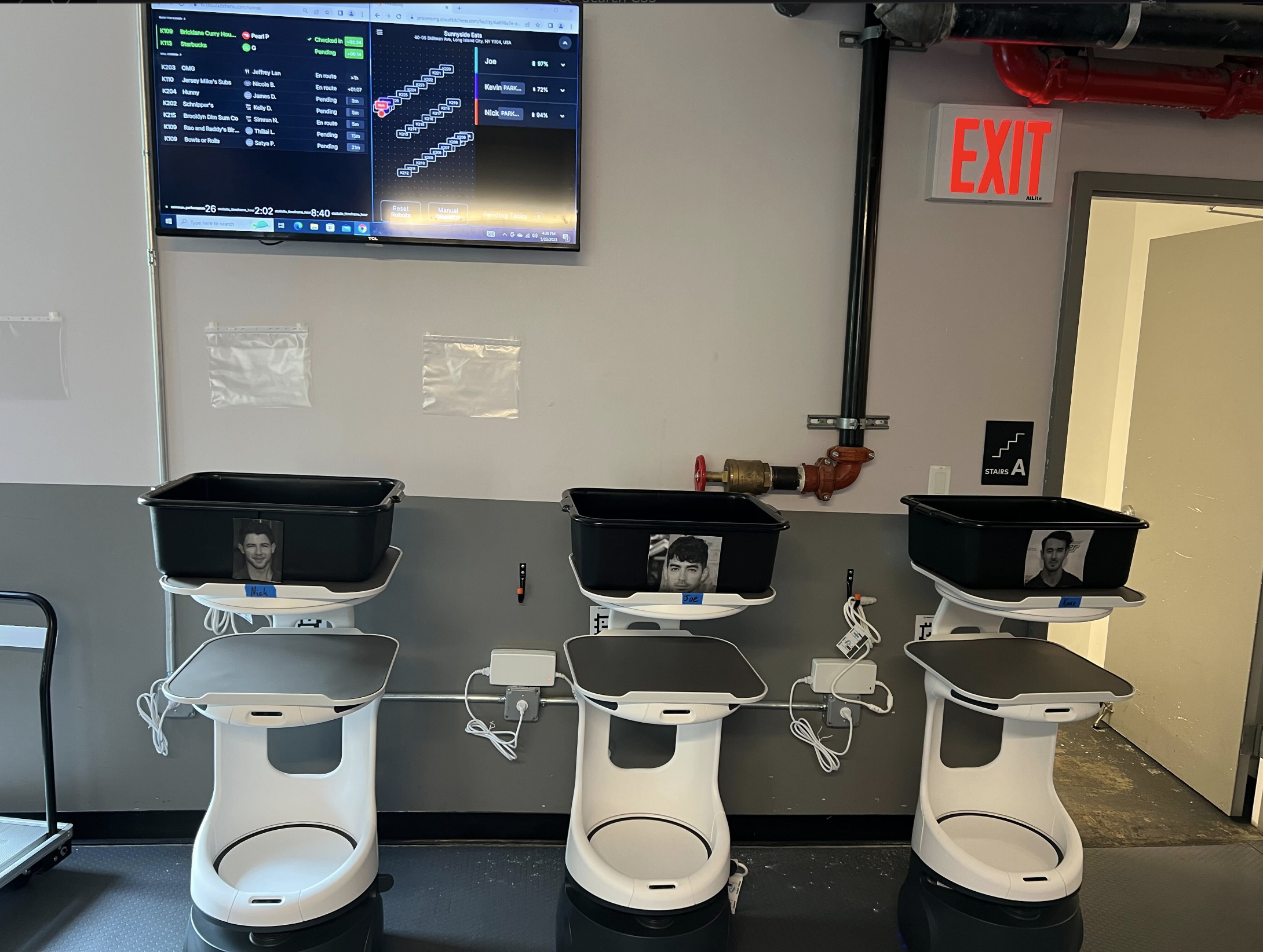
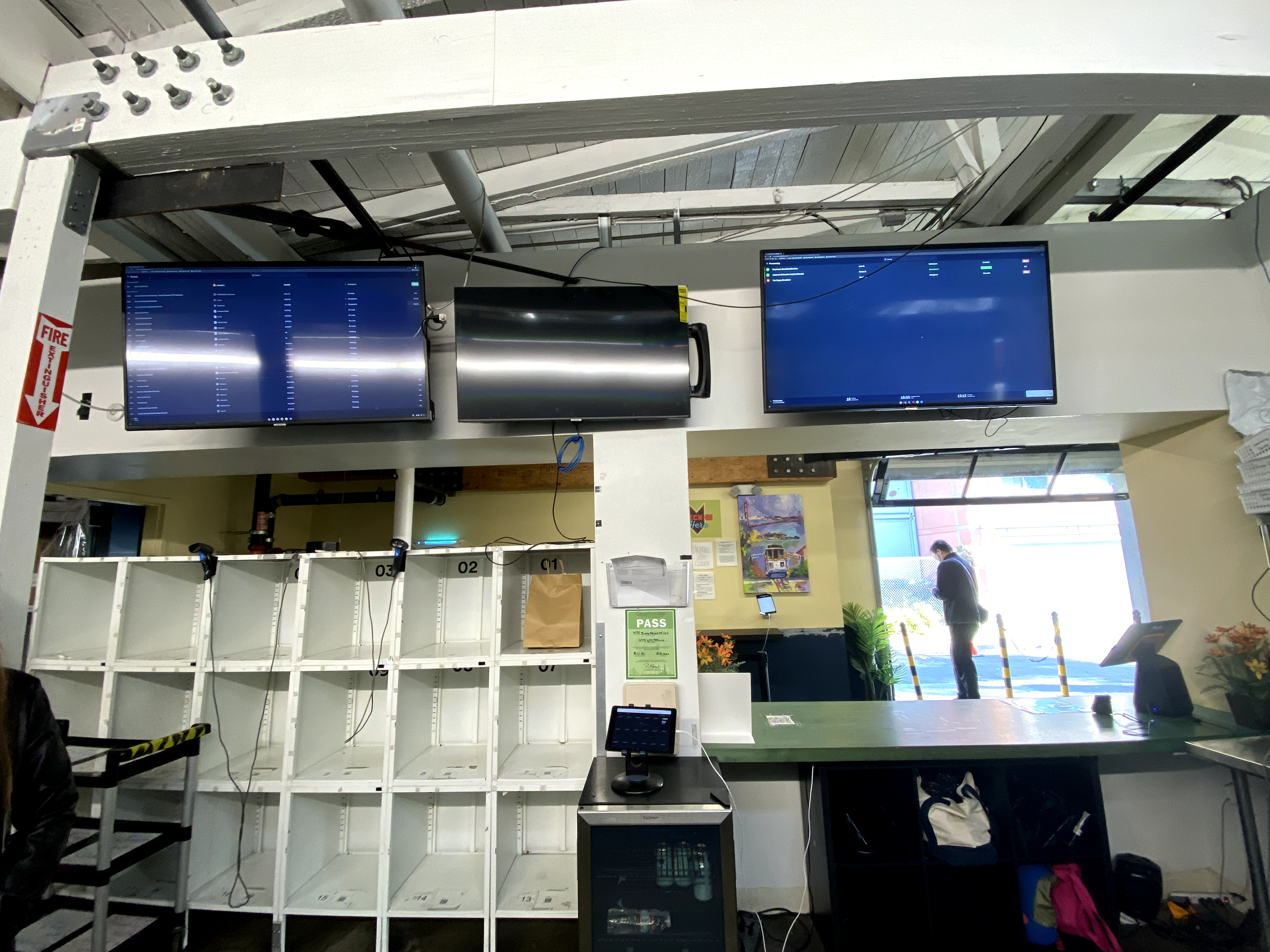
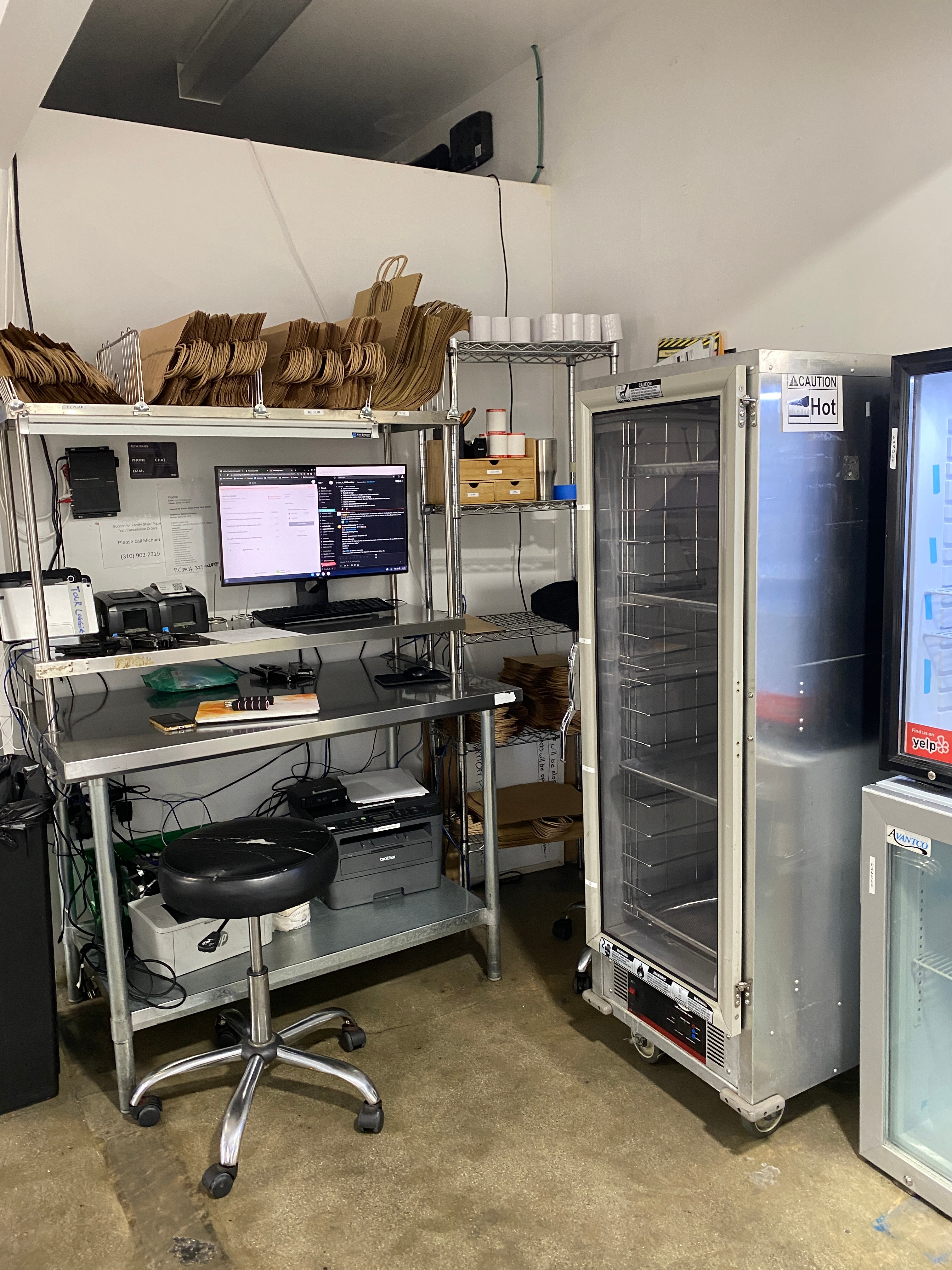
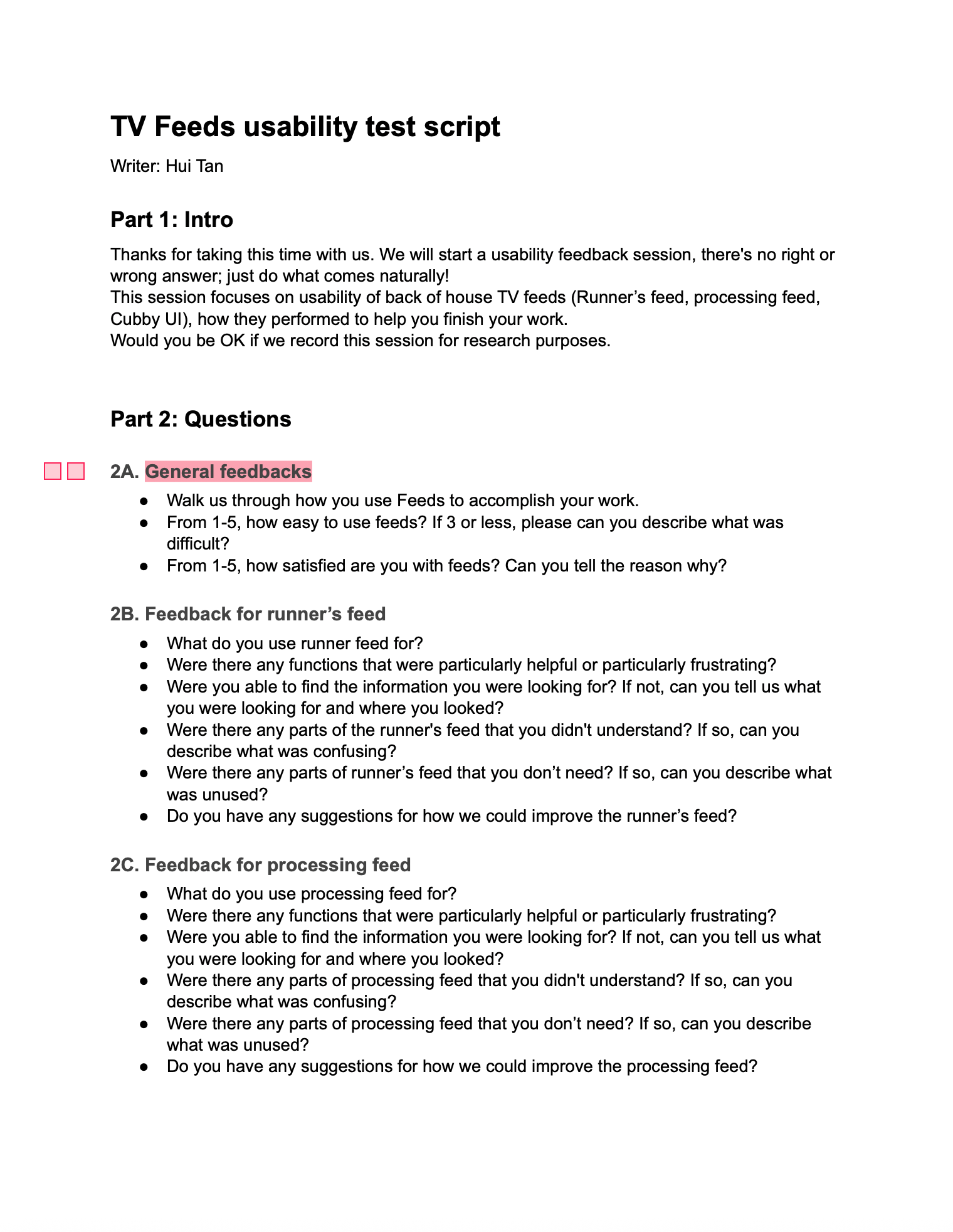
We began with a thorough audit of existing TV feeds, conducted usability tests with three facility staff members, and shadowed runners to uncover real workflow pain points.
Pain points identified
PROBLEM
One-size-fits-all TV feeds don’t work across facilities with different layouts and needs.

SOLUTION
A modular design that each facility can configure based on their specific needs and screen setup.
PROBLEM
Poor Information Hierarchy
SOLUTION
Critical info like customer name is not consistently visible or prioritized. Order tracking is split across two feeds, which is not intuitive.
PROBLEM
Irrelevant Metrics
SOLUTION
Data like Driver status, order number are not helpful for runners.
Modular design solution
To address this, we designed a modular TV feed system that adapts to each facility’s needs. Staff can configure feeds based on screen size, layout, and operational priorities.
Modules that can support facility operations
Order Feed
In handoff
In prep
Pick up Feed
For runner
For robot
Courier
Feed
Camera
Feed
Task
Feed
Inventory
Facility
Metrics
Feed
Orders
Kitchens
Tasks
Inventory
Cameras
Couriers
Orders feed
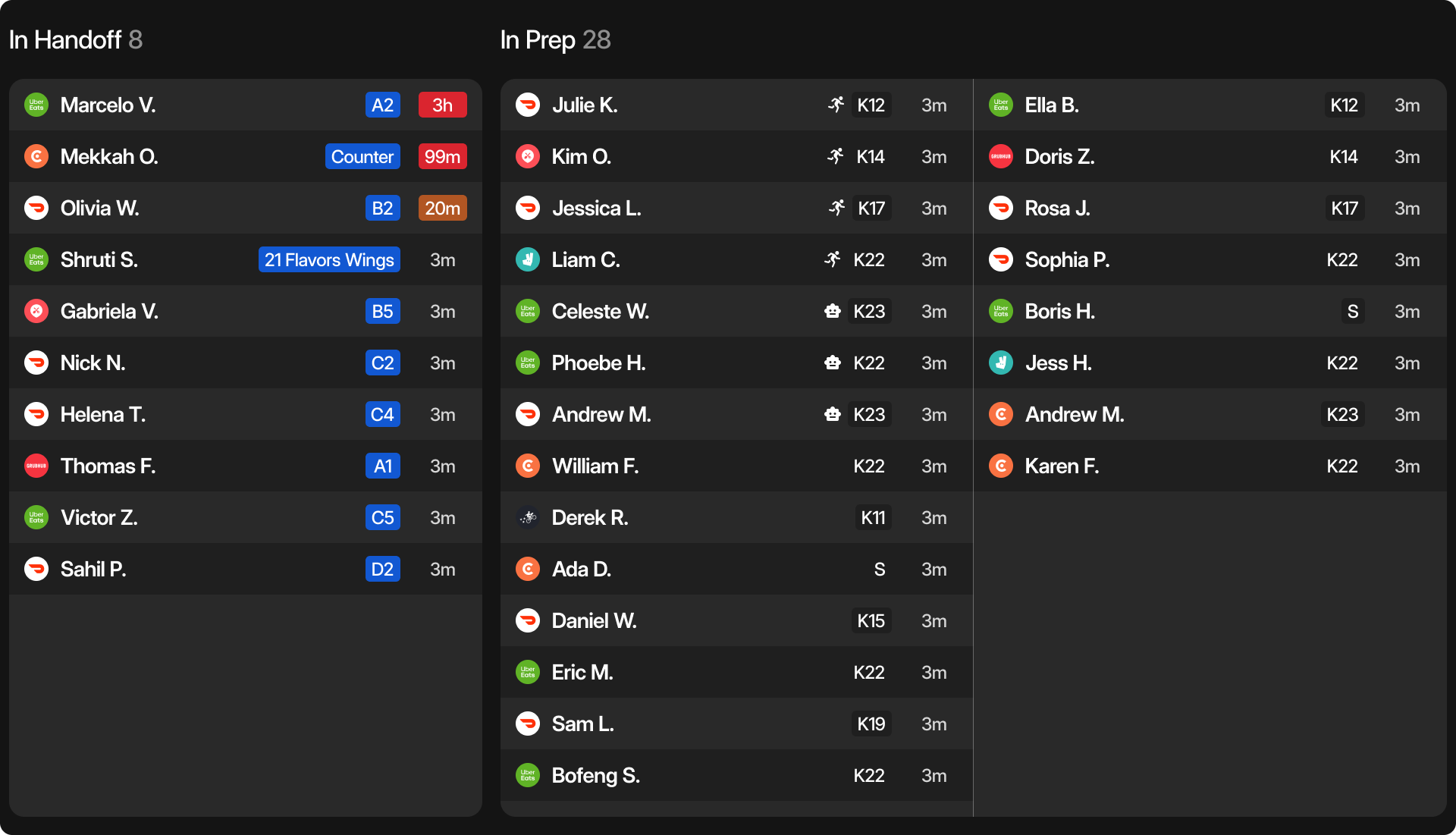
A real-time view of what’s in prep and what’s ready to hand off—giving staff clear visibility into cooking progress.
Pick up feed
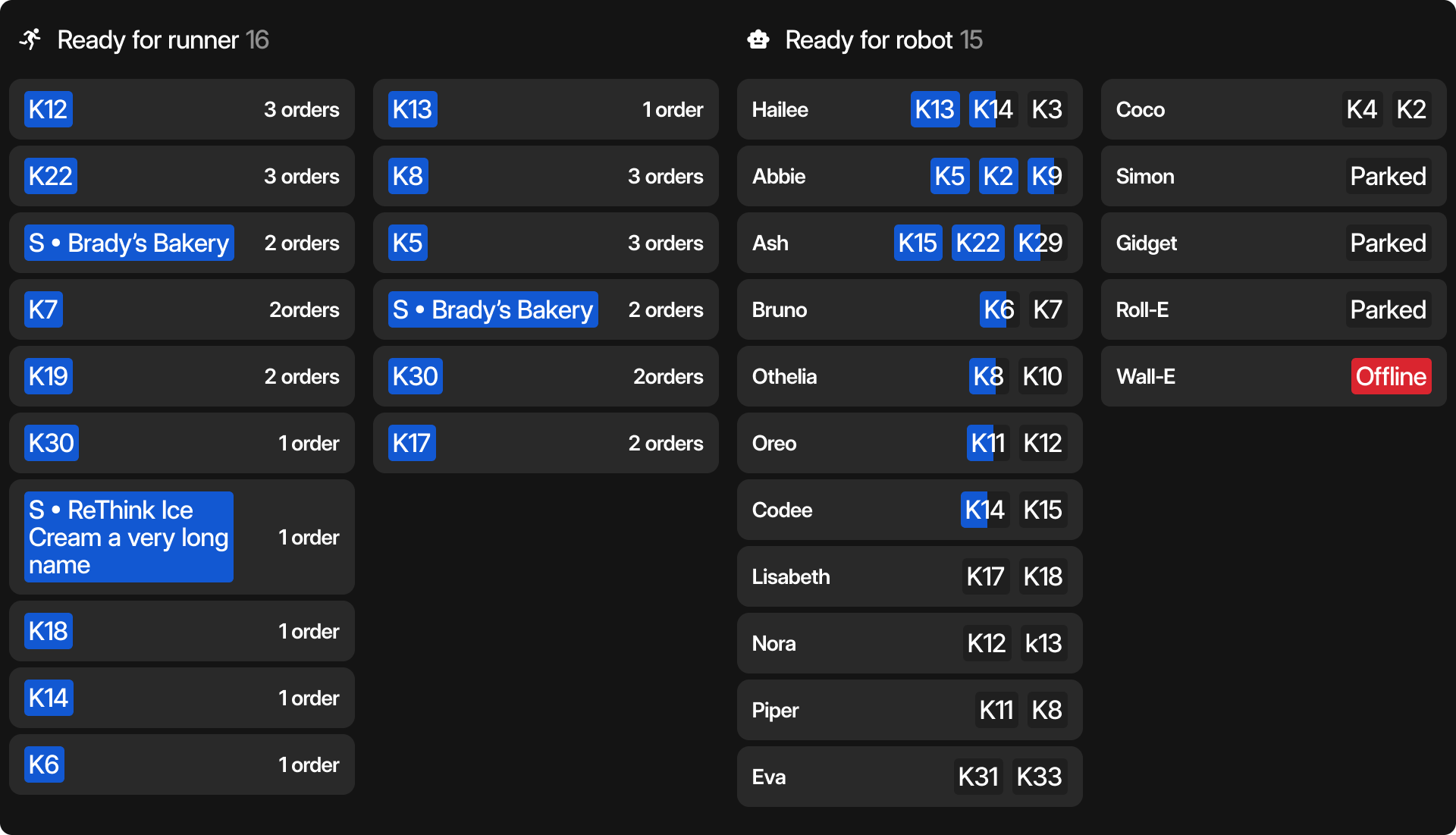
Highlights orders ready for pickup, with filters based on who’s collecting—runner or robot.
Tasks feed
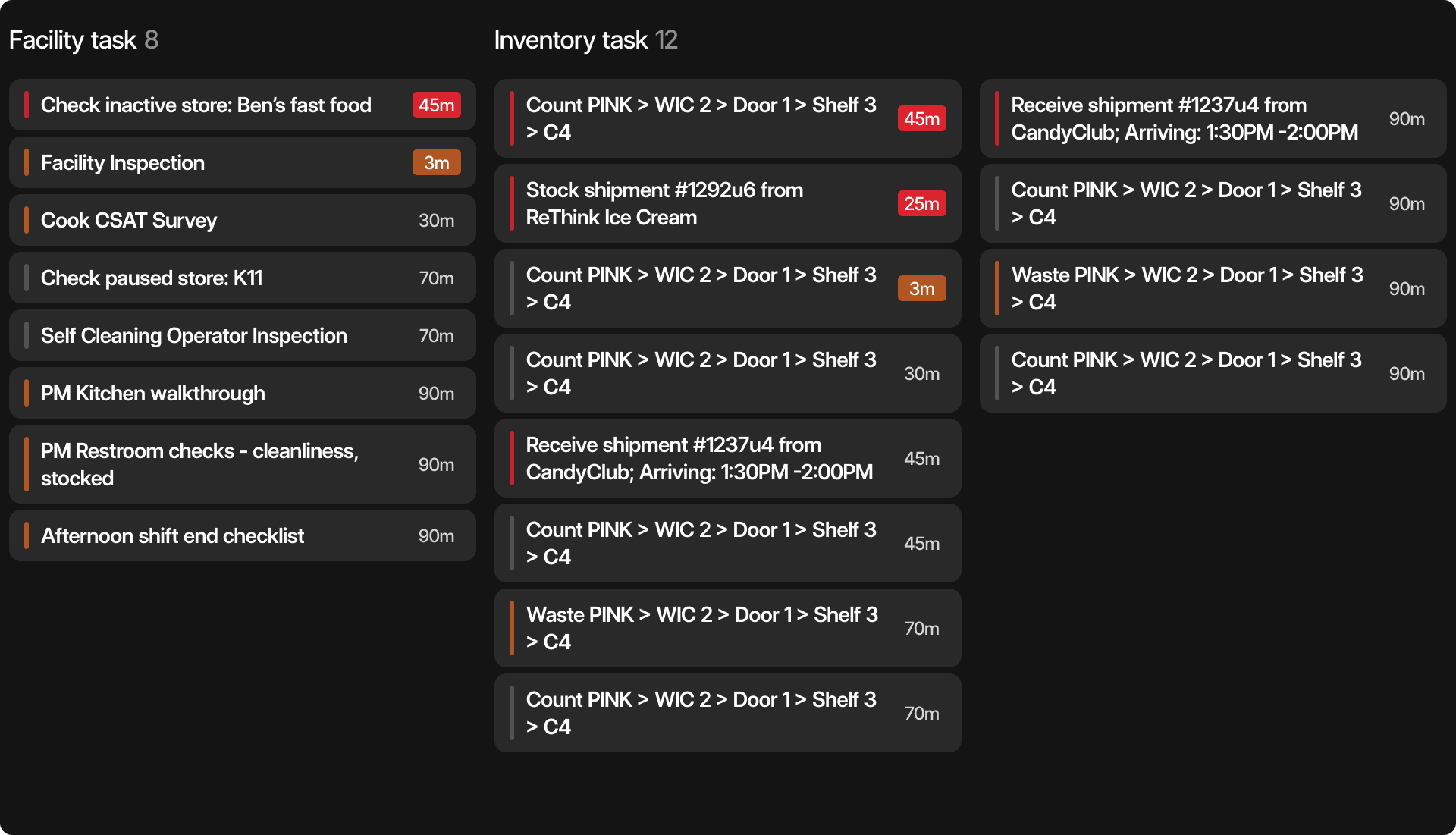
Surfaces non-order tasks like inventory checks and facility maintenance, helping teams stay on top of operations.
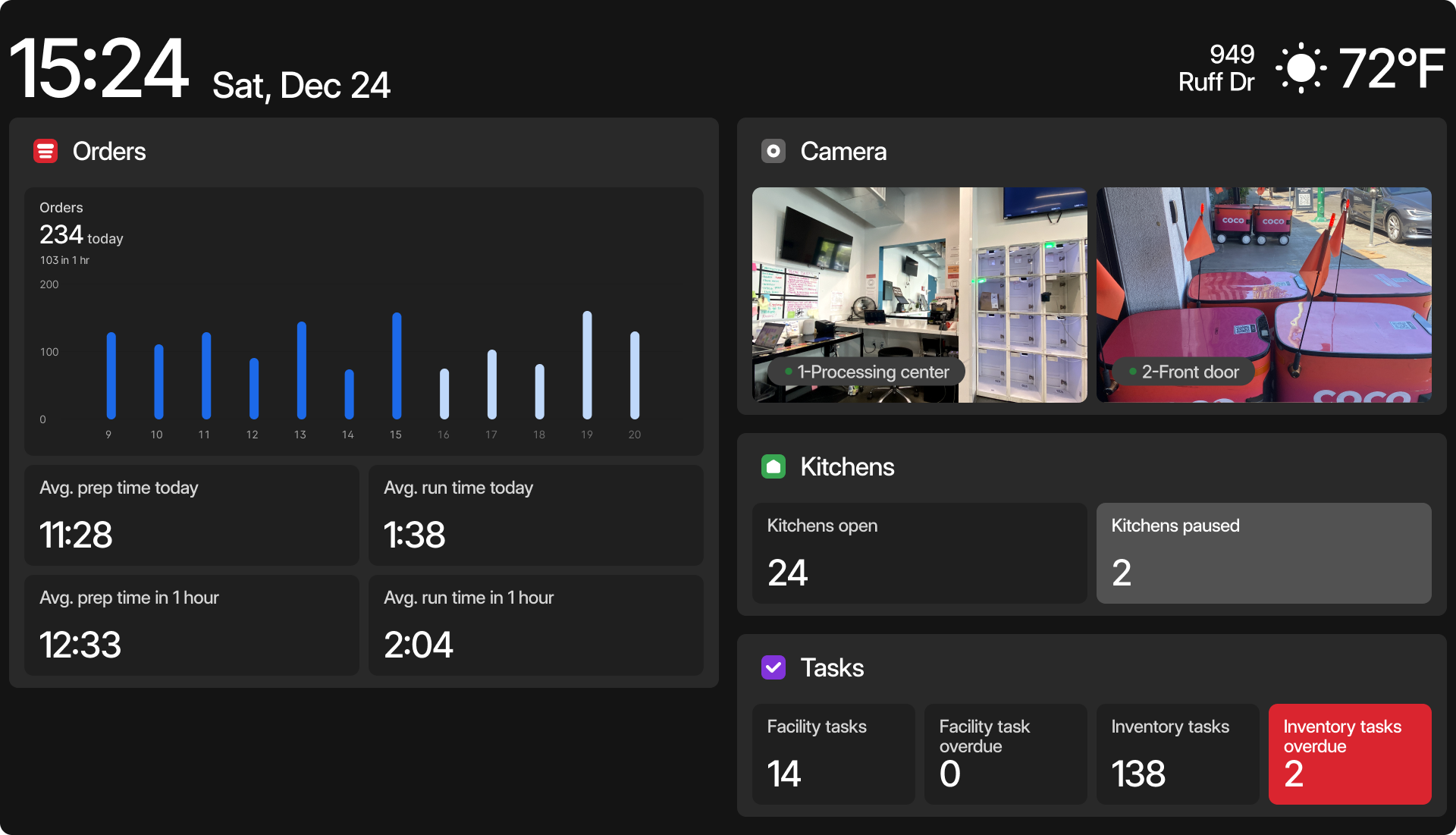
Metrics
A quick pulse-check on how the facility is performing throughout the day.
MVP definition
We worked closely with facility staff to brainstorm the modular system and define its scope. From those sessions, we prioritized 2 core modules for the first milestone: Orders, Pick Up. Tasks and Metrics focus on summarizing high-level activity rather than listing every individual item.
Orders Feed
Horizontal layout information density & responsiveness
1
2
1
1
2
1
2
2
1
1
2
2
1
2
2
2
1
2
2
2
2
1
1
2
2
2
1
1
1
2
2
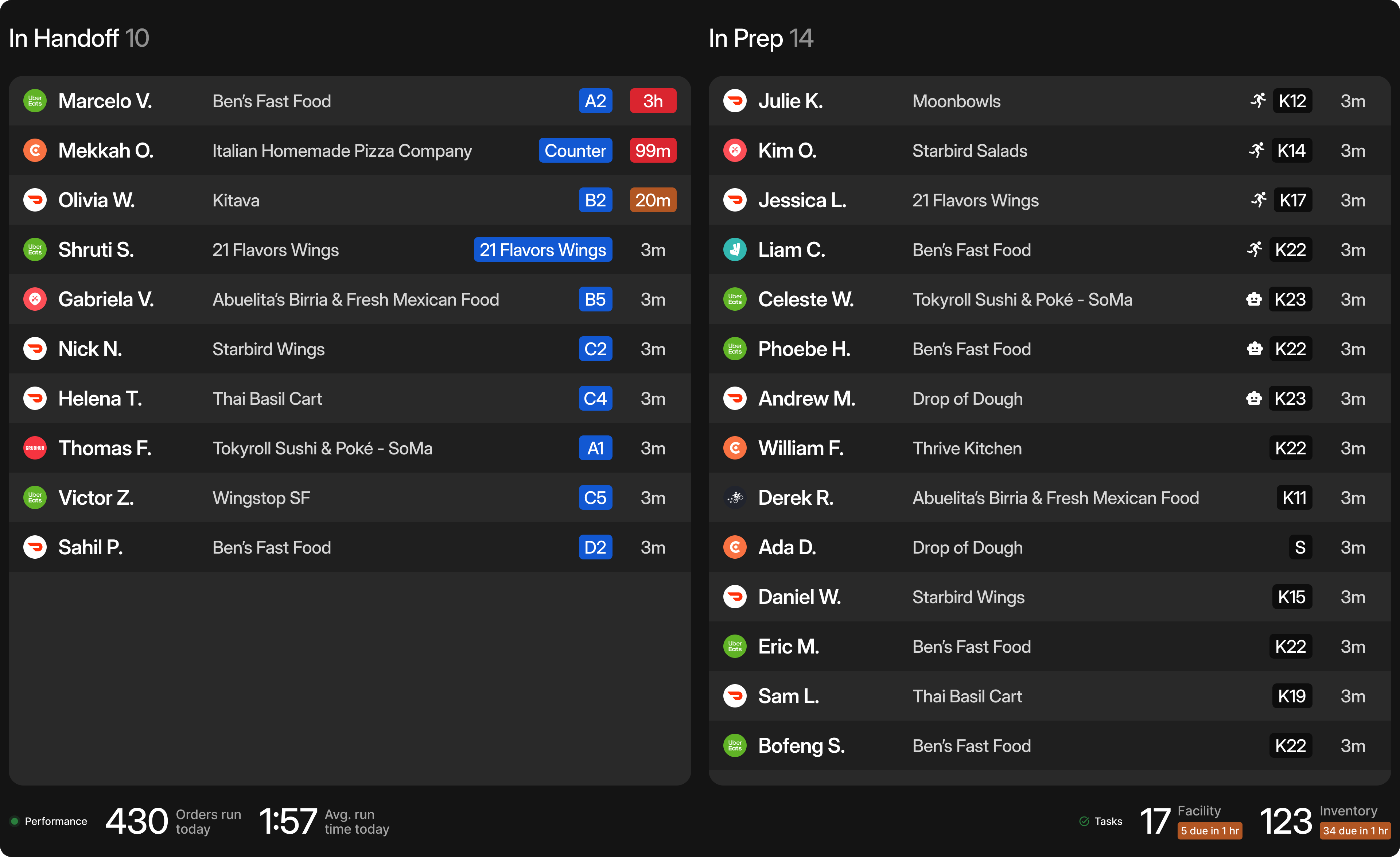
2 coloms
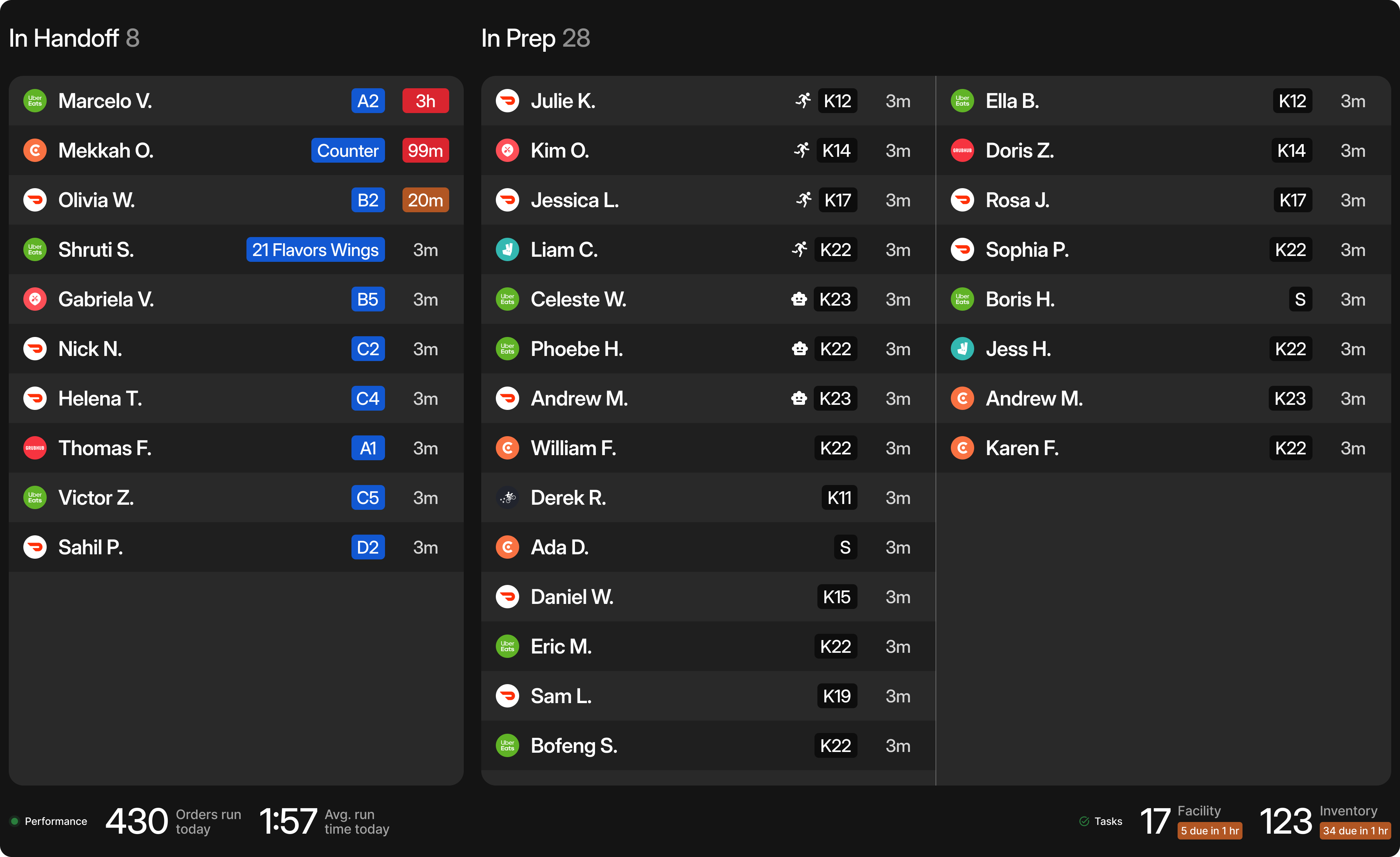
3 coloms
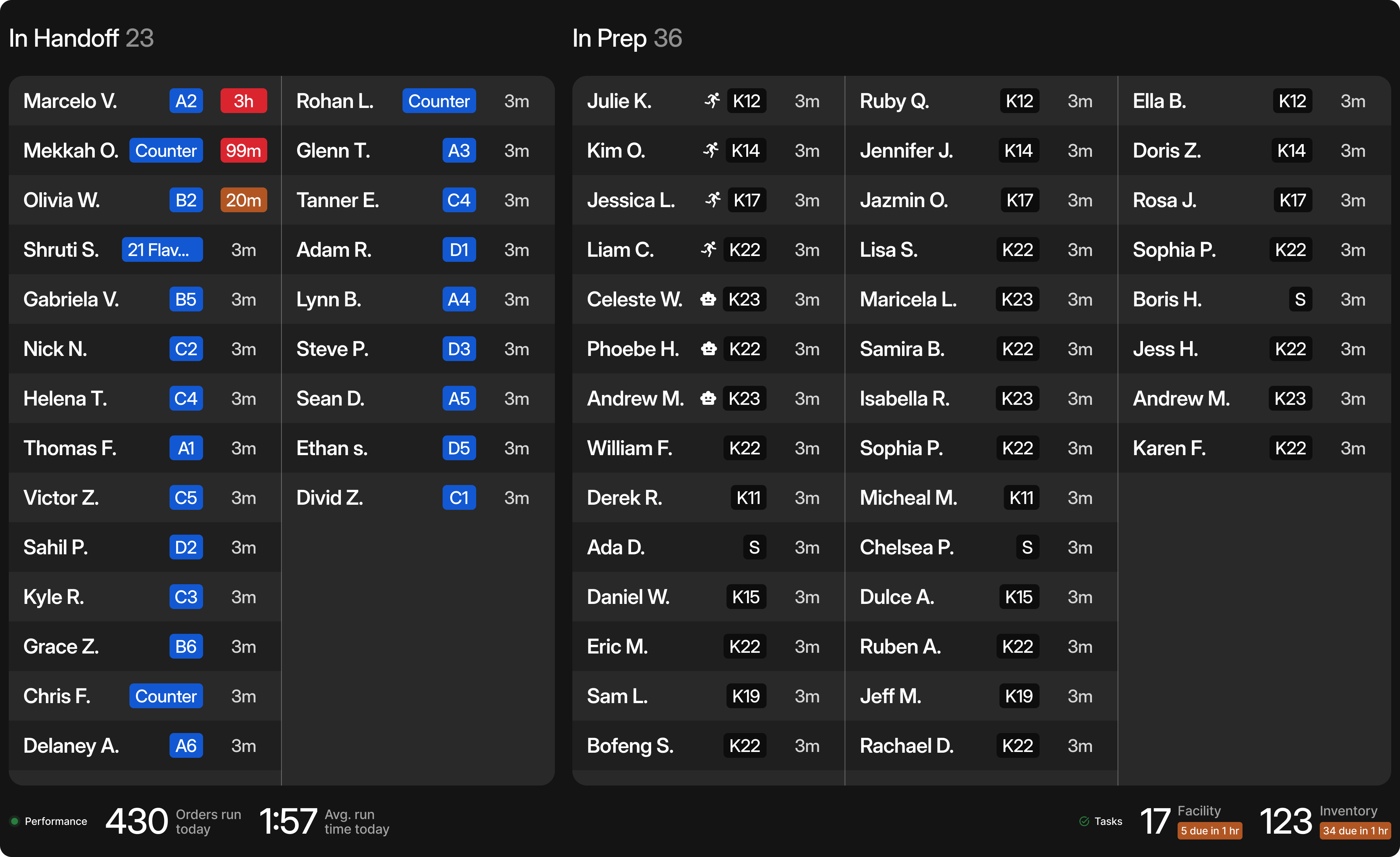
5 coloms
Information density & responsiveness
Feeds are designed to be fully responsive, adapting to information density. The layout can be displayed in both horizontal and vertical orientations.
Orders Feed
Vertical layout
1
2
1
1
2
1
2
2
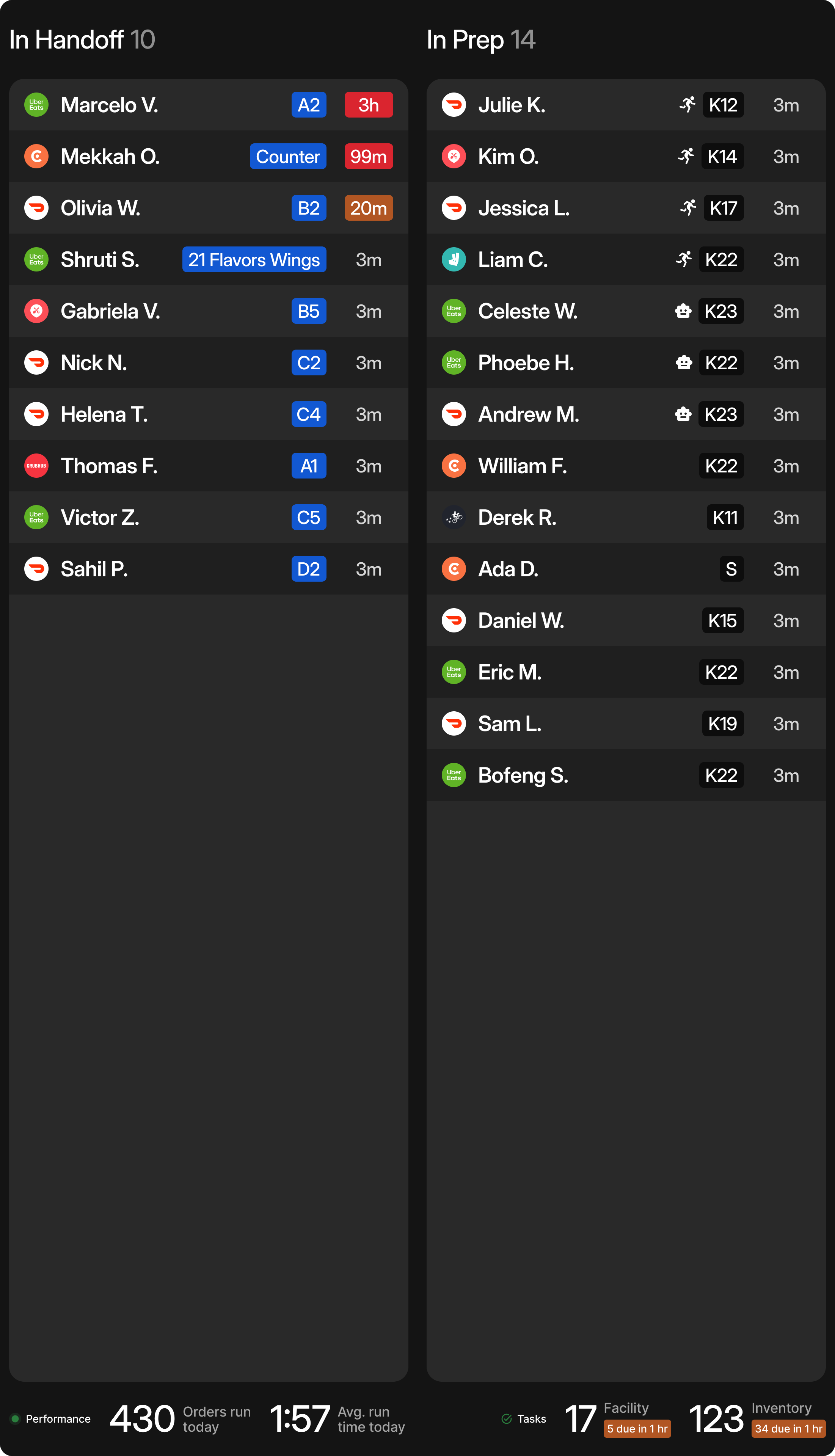
2 coloms
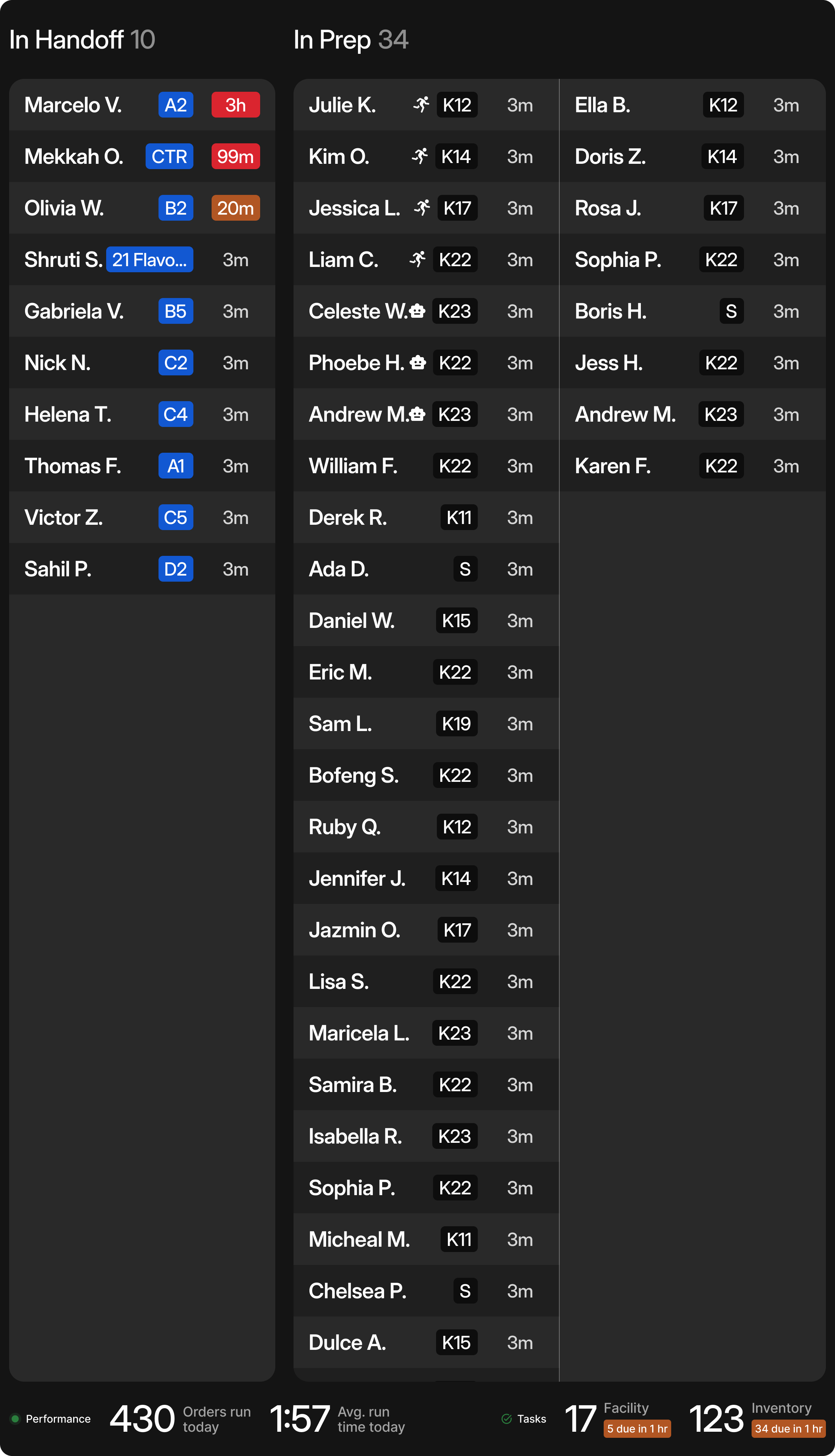
3 coloms
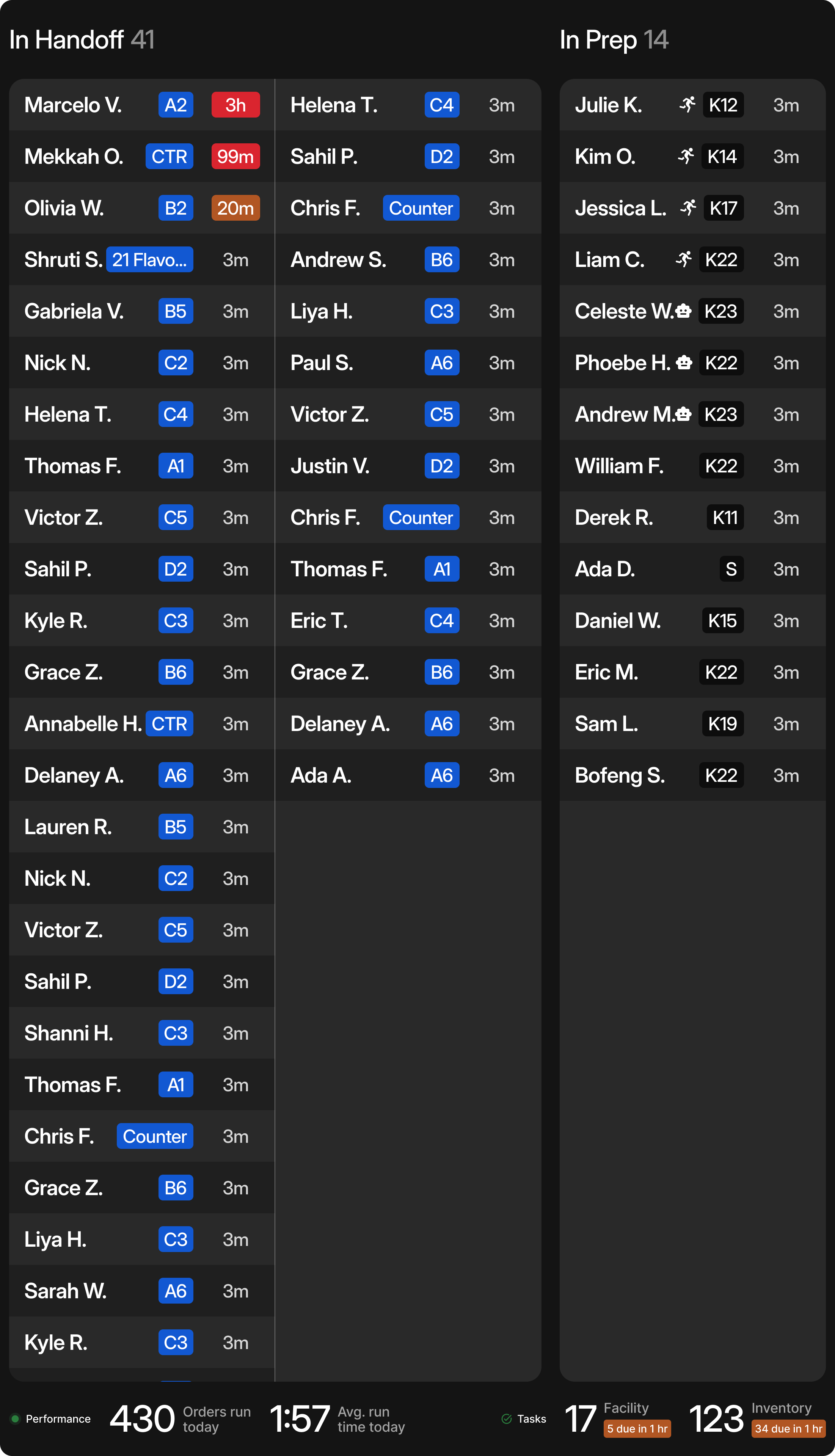
3 coloms
Configure TV feeds
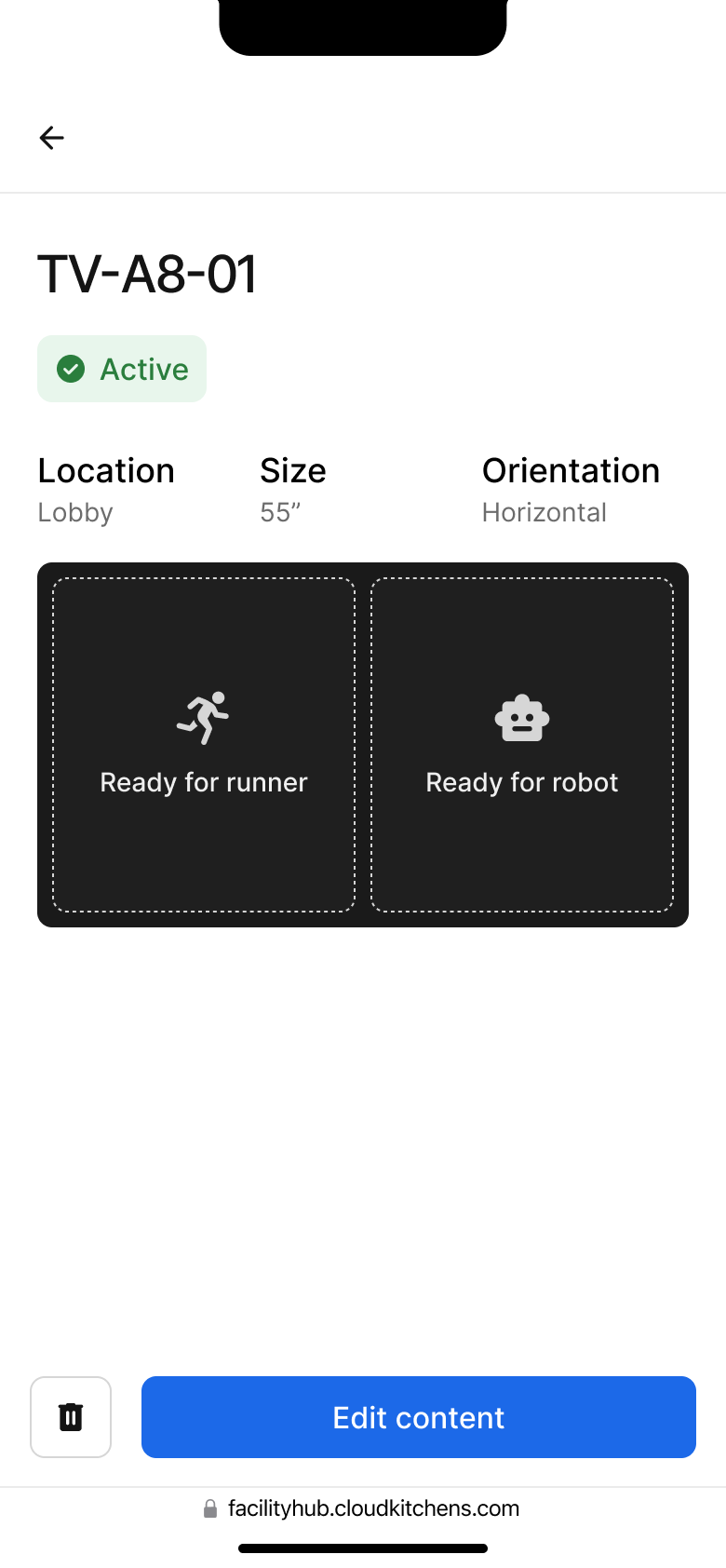
Facility staff can configure their TV feeds based on their operational needs and available screen space using our internal management tool, FacilityHub.
Feeds configuration
Customize your feeds in FacilityHub (CloudKitchens facility manage site)
🖥️ Desktop
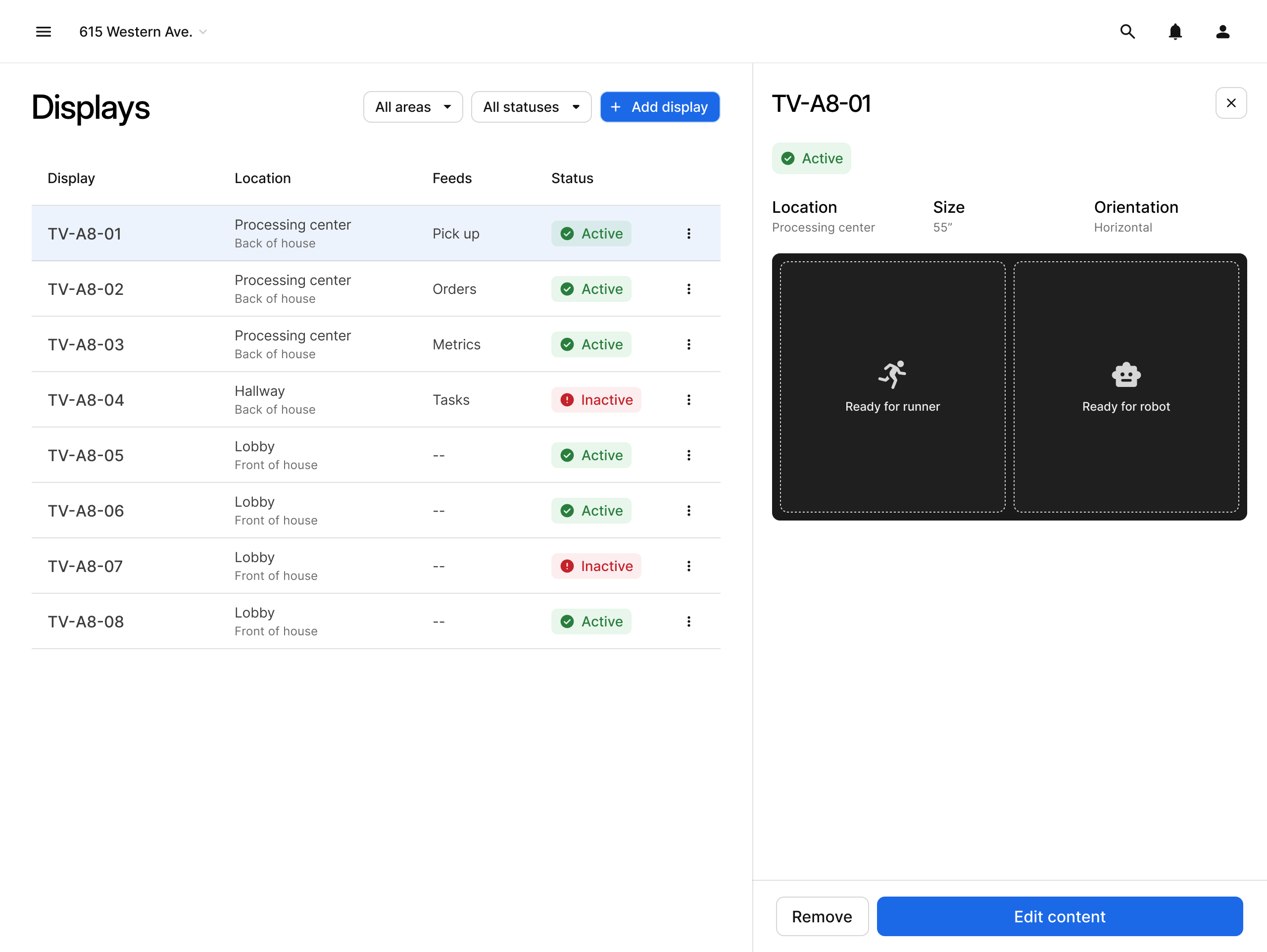
📕 Tablet
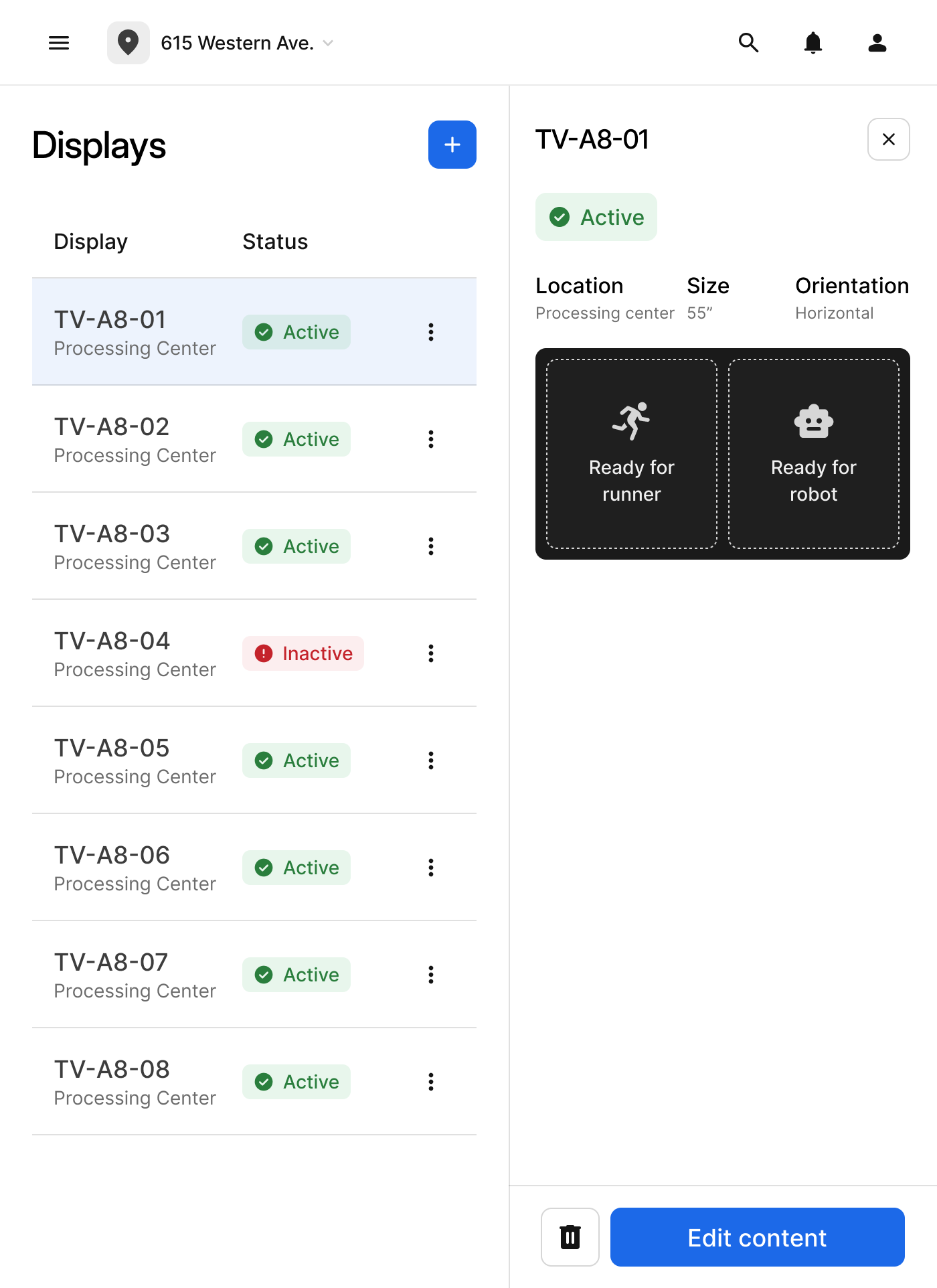
📱 Mobile
The result
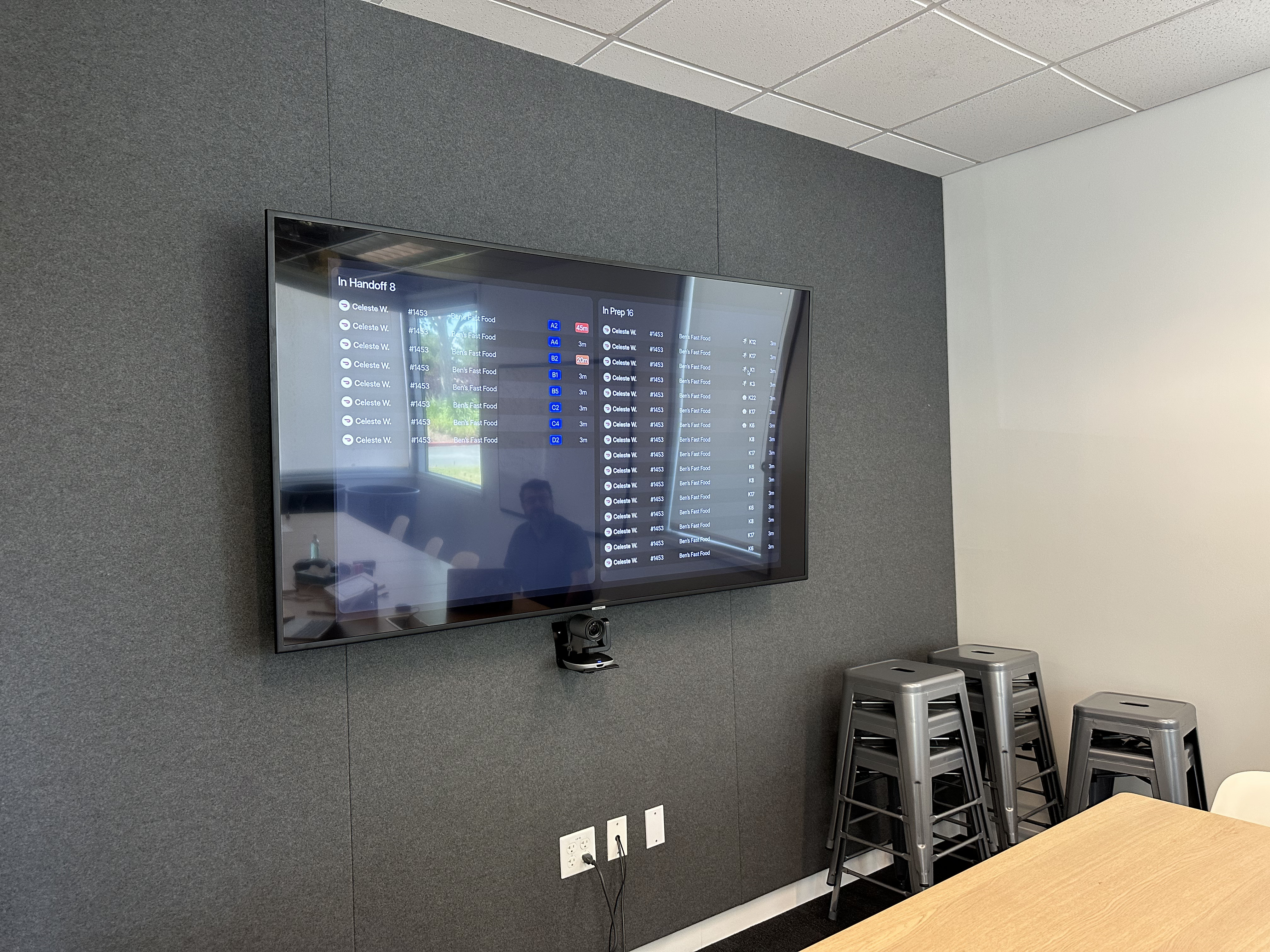
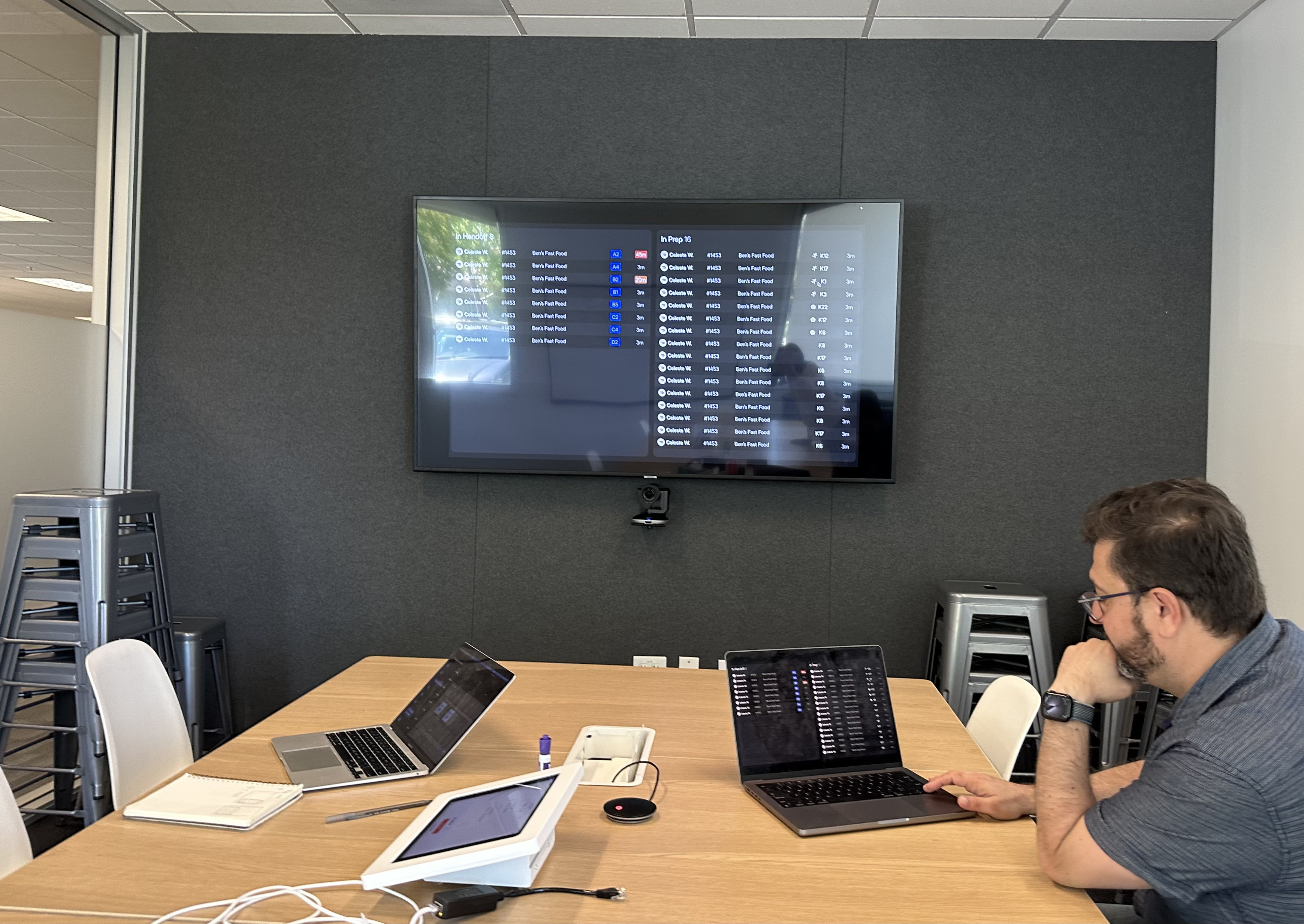
To evaluate the modular feed layout, we tested the interface on a mounted TV setup in our office. Feedback from the test was positive - participants found the layout clear, the modules easy to understand, and the structure better suited to their workflows and large-screen setup than the previous design.

Other Projects
Automating Business Reports with AI-Generated Insights
See Project
→
See Project
→
More Projects
See Project
→
See Project
→
Improving Inventory Accuracy With a Scan-First, Location-Based Workflow
See Project
→
See Project
→
Improve Market Analysis Tool for AE Adoption
See Project
→
See Project
→
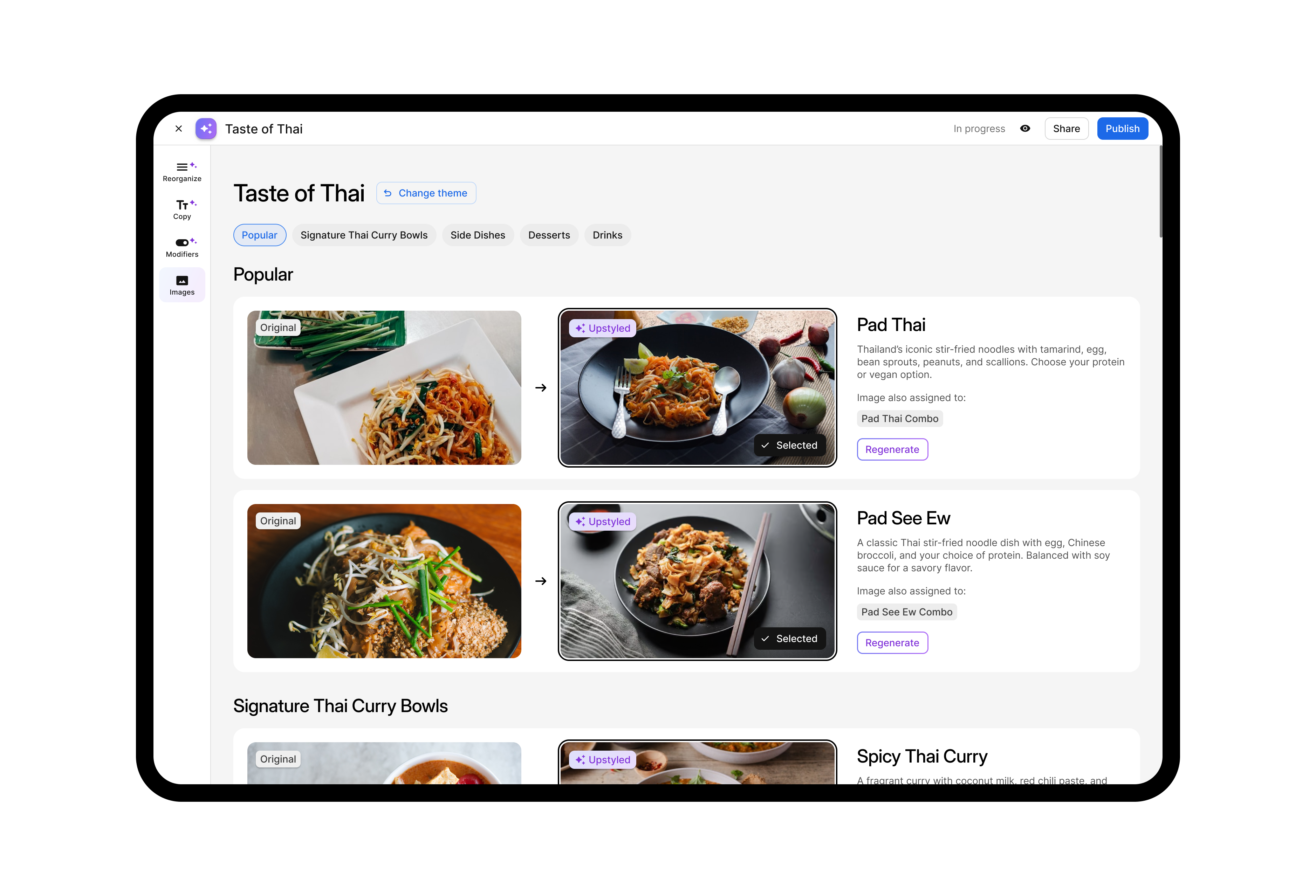
Create AI-Driven Menu Optimization Experience
See Project
→
See Project
→
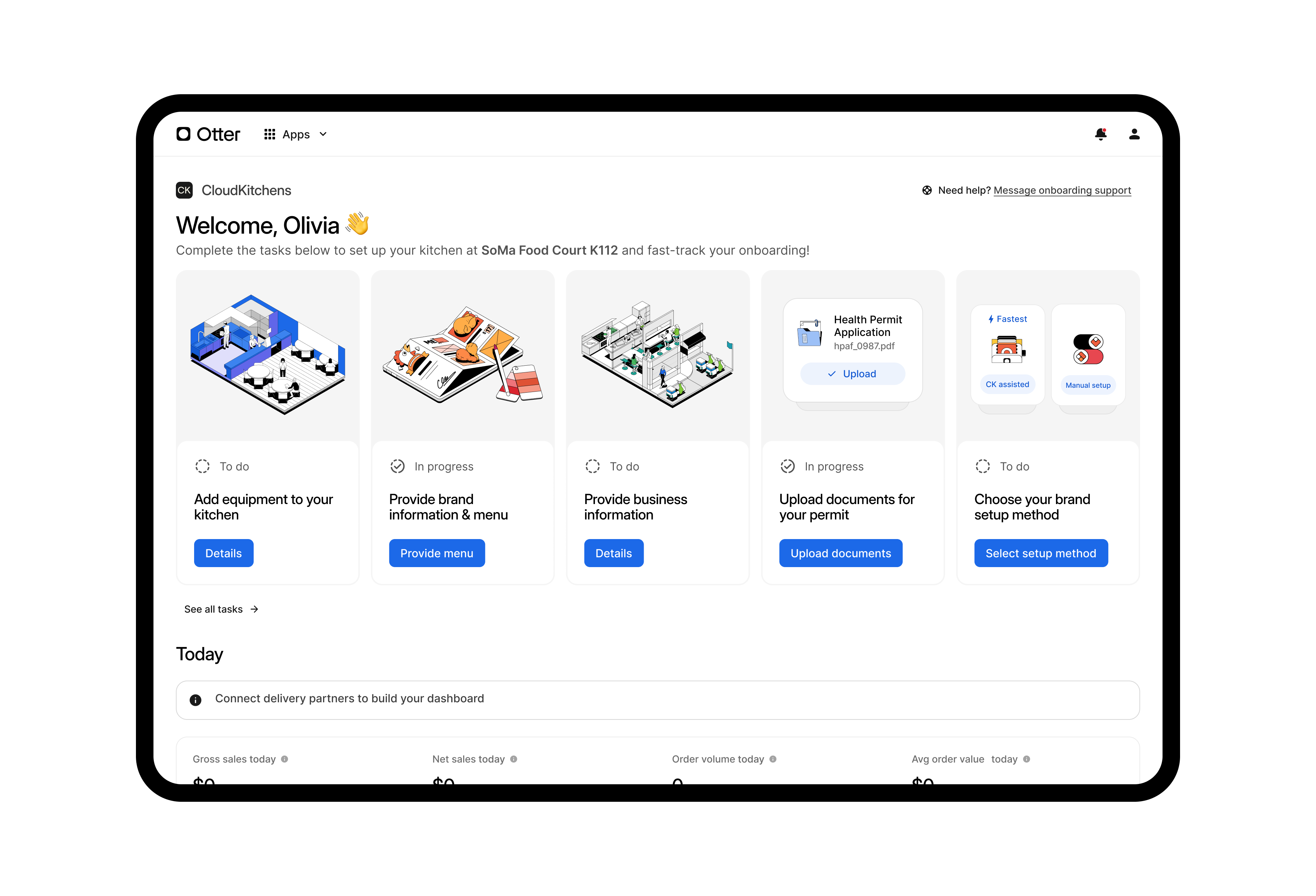
Redesign CloudKitchens Customer Onboarding Experience
See Project
→
See Project
→



Work
Work
About
About
Modular TV feed redesign for facility operations
Redesigned CloudKitchens’ facility TV feeds into a modular system to improve usability across different screen setups.
Led audits, usability testing, and interface design using FacilityHub for customizable layouts.
Lead Product Designer
TV Display Design
2023
Problem
In CloudKitchens facilities, TV feeds guide staff through order processing and pickups using live data. But with varying layouts and screen setups, the current one-size-fits-all design leads to low display efficiency and poor scanability. Our goal is to improve how clearly and quickly information is surfaced across all facility types.
Audit
We began with a thorough audit of existing TV feeds, conducted usability tests with three facility staff members, and shadowed runners to uncover real workflow pain points.
Pain points identified
PROBLEM
One-size-fits-all TV feeds don’t work across facilities with different layouts and needs.

SOLUTION
A modular design that each facility can configure based on their specific needs and screen setup.
PROBLEM
Poor Information Hierarchy

SOLUTION
Critical info like customer name is not consistently visible or prioritized. Order tracking is split across two feeds, which is not intuitive.
PROBLEM
Irrelevant Metrics
SOLUTION
Data like Driver status, order number are not helpful for runners.
Modular design solution
To address this, we designed a modular TV feed system that adapts to each facility’s needs. Staff can configure feeds based on screen size, layout, and operational priorities.
Modules that can support facility operations
Order Feed
In handoff
In prep
Pick up Feed
For runner
For robot
Courier Feed
Camera Feed
Task Feed
Inventory
Facility
Metrics Feed
Orders
Kitchens
Tasks
Inventory
Cameras
Couriers
Orders feed
A real-time view of what’s in prep and what’s ready to hand off—giving staff clear visibility into cooking progress.
Pick up feed
Highlights orders ready for pickup, with filters based on who’s collecting—runner or robot.
Tasks feed
Surfaces non-order tasks like inventory checks and facility maintenance, helping teams stay on top of operations.
Metrics
A quick pulse-check on how the facility is performing throughout the day.
MVP definition
We worked closely with facility staff to brainstorm the modular system and define its scope. From those sessions, we prioritized 2 core modules for the first milestone: Orders, Pick Up. Tasks and Metrics focus on summarizing high-level activity rather than listing every individual item.
Orders Feed
Horizontal layout information density & responsiveness
1
2
1
1
2
1
2
2
1
1
2
2
1
2
2
2
1
2
2
2
2
1
1
2
2
2
1
1
1
2
2
2 coloms
3 coloms
5 coloms
Information density & responsiveness
Feeds are designed to be fully responsive, adapting to information density. The layout can be displayed in both horizontal and vertical orientations.
Orders Feed
Vertical layout
1
2
1
1
2
1
2
2
2 coloms
3 coloms
3 coloms
Configure TV feeds
Facility staff can configure their TV feeds based on their operational needs and available screen space using our internal management tool, FacilityHub.
Feeds configuration
Customize your feeds in FacilityHub (CloudKitchens facility manage site)
🖥️ Desktop
📕 Tablet
📱 Mobile
The result
To evaluate the modular feed layout, we tested the interface on a mounted TV setup in our office. Feedback from the test was positive - participants found the layout clear, the modules easy to understand, and the structure better suited to their workflows and large-screen setup than the previous design.

Other Projects
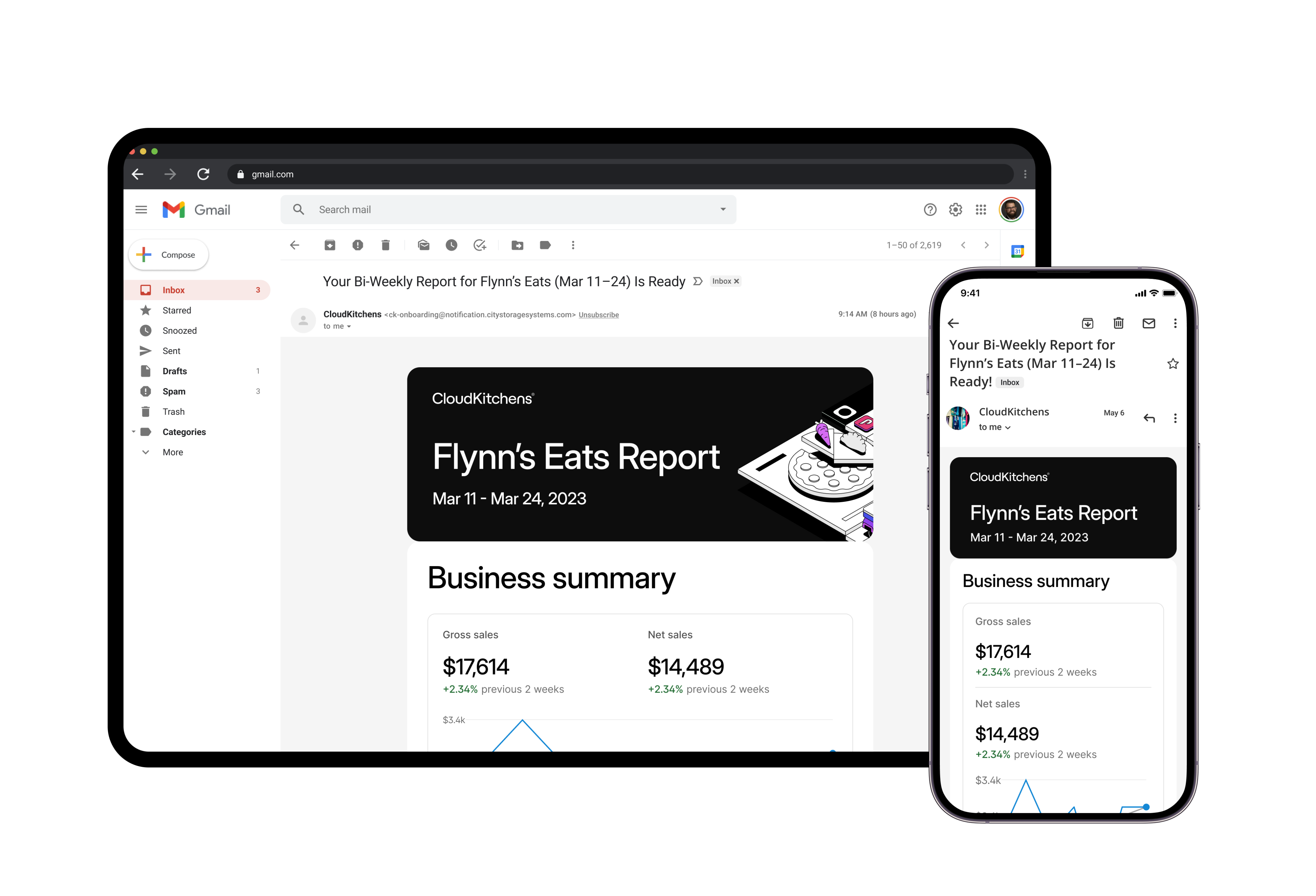
Automating Business Reports with AI-Generated Insights
See Project
→
See Project
→
More Projects
See Project
→
See Project
→
Improving Inventory Accuracy With a Scan-First, Location-Based Workflow
See Project
→
See Project
→
Improve Market Analysis Tool for AE Adoption
See Project
→
See Project
→
Create AI-Driven Menu Optimization Experience
See Project
→
See Project
→
Redesign CloudKitchens Customer Onboarding Experience
See Project
→
See Project
→


Work
Work
About
About
Modular TV feed redesign for facility operations
Redesigned CloudKitchens’ facility TV feeds into a modular system to improve usability across different screen setups.
Led audits, usability testing, and interface design using FacilityHub for customizable layouts.
Lead Product Designer
TV Display Design
2023
Problem
In CloudKitchens facilities, TV feeds guide staff through order processing and pickups using live data. But with varying layouts and screen setups, the current one-size-fits-all design leads to low display efficiency and poor scanability. Our goal is to improve how clearly and quickly information is surfaced across all facility types.
Audit
We began with a thorough audit of existing TV feeds, conducted usability tests with three facility staff members, and shadowed runners to uncover real workflow pain points.
Pain points identified
PROBLEM
One-size-fits-all TV feeds don’t work across facilities with different layouts and needs.

SOLUTION
A modular design that each facility can configure based on their specific needs and screen setup.
PROBLEM
Poor Information Hierarchy

SOLUTION
Critical info like customer name is not consistently visible or prioritized. Order tracking is split across two feeds, which is not intuitive.
PROBLEM
Irrelevant Metrics
SOLUTION
Data like Driver status, order number are not helpful for runners.
Modular design solution
To address this, we designed a modular TV feed system that adapts to each facility’s needs. Staff can configure feeds based on screen size, layout, and operational priorities.
Modules that can support facility operations
Order Feed
In handoff
In prep
Pick up Feed
For runner
For robot
Courier Feed
Camera Feed
Task Feed
Inventory
Facility
Metrics Feed
Orders
Kitchens
Tasks
Inventory
Cameras
Couriers
Orders feed
A real-time view of what’s in prep and what’s ready to hand off—giving staff clear visibility into cooking progress.
Pick up feed
Highlights orders ready for pickup, with filters based on who’s collecting—runner or robot.
Tasks feed
Surfaces non-order tasks like inventory checks and facility maintenance, helping teams stay on top of operations.
Metrics
A quick pulse-check on how the facility is performing throughout the day.
MVP definition
We worked closely with facility staff to brainstorm the modular system and define its scope. From those sessions, we prioritized 2 core modules for the first milestone: Orders, Pick Up. Tasks and Metrics focus on summarizing high-level activity rather than listing every individual item.
Orders Feed
Horizontal layout information density & responsiveness
1
2
1
1
2
1
2
2
1
1
2
2
1
2
2
2
1
2
2
2
2
1
1
2
2
2
1
1
1
2
2
2 coloms
3 coloms
5 coloms
Information density & responsiveness
Feeds are designed to be fully responsive, adapting to information density. The layout can be displayed in both horizontal and vertical orientations.
Orders Feed
Vertical layout
1
2
1
1
2
1
2
2
2 coloms
3 coloms
3 coloms
Configure TV feeds
Facility staff can configure their TV feeds based on their operational needs and available screen space using our internal management tool, FacilityHub.
Feeds configuration
Customize your feeds in FacilityHub (CloudKitchens facility manage site)
🖥️ Desktop
📕 Tablet
📱 Mobile
The result
To evaluate the modular feed layout, we tested the interface on a mounted TV setup in our office. Feedback from the test was positive - participants found the layout clear, the modules easy to understand, and the structure better suited to their workflows and large-screen setup than the previous design.

Other Projects
Automating Business Reports with AI-Generated Insights
See Project
→
See Project
→
More Projects
See Project
→
See Project
→
Improving Inventory Accuracy With a Scan-First, Location-Based Workflow
See Project
→
See Project
→
Improve Market Analysis Tool for AE Adoption
See Project
→
See Project
→
Create AI-Driven Menu Optimization Experience
See Project
→
See Project
→
Redesign CloudKitchens Customer Onboarding Experience
See Project
→
See Project
→
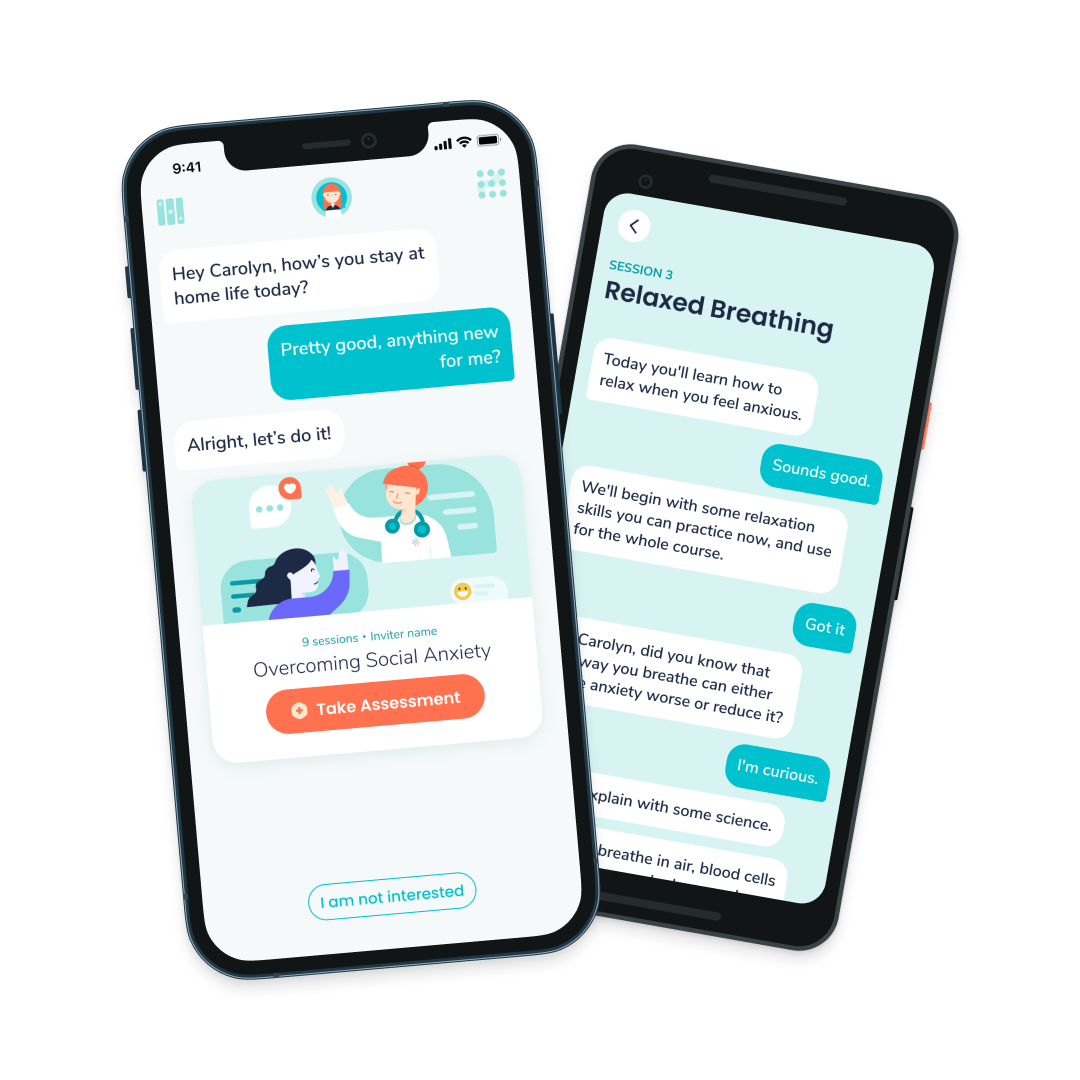
Serenity: From Mental Health Chatbot to Clinical Platform
See Project
→
See Project
→

